innovationterms

Topic explorer

Every innovation definition, grouped into living constellations by category. Filter, search, and hover a bubble to preview it — click to open the full definition. 10 terms across 6 categories.

Strategy & Portfolio

Where to play and how to win: vision, portfolio balance across horizons, foresight, roadmaps, and the metrics that prove innovation pays off.

3

Design, UX & Prototyping

Turning intent into tangible form: human-centered design, ideation methods, and prototyping from napkin sketch to interactive build.

2

Product & Business Models

How a new offering captures value and competes: business-model design, value propositions, commercialization, scaling, and venture vehicles.

2

Delivery, Agile & Operations

Getting innovation done: lean and agile ways of working, experimentation loops, and the processes that move ideas to shipped reality.

1

Innovation Types & Theory

The field's conceptual backbone — the types of innovation and the theories of how innovations spread, get adopted, and reshape industries.

1

Leadership, Culture & Organization

The human system behind innovation: leadership, psychological safety, intrapreneurship, roles and capability, and innovation-ready culture.
1

Use the innovation concepts map to browse glossary terms by practice domain, compare categories, and choose when the explorer beats A-Z lookup or search.

TL;DR

  • Browse by domain when the term name is unclear.
  • The explorer uses a nine-category taxonomy.
  • Only populated categories appear in the live map.
  • Use A-Z or search for exact lookup.
  • Open a term to read the full definition.

The innovation concepts map is the discovery view for the glossary. It groups terms by practice domain so teams can see adjacent concepts before deciding which definition to open. If the exact term is already known, the A-Z glossary or site search is faster.

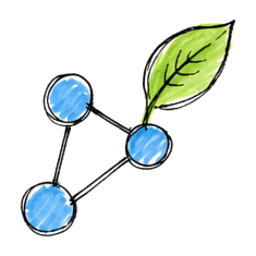
A loose constellation of hand-drawn circular clusters connected by thin lines on white paper.

What is the innovation concepts map for?

It is for browsing, not straight lookup. The explorer gives each term a home inside a larger practice area, which makes it easier to move from one useful concept to the next without guessing what to search for.

That matters when a team knows the problem space but not the vocabulary yet. A product lead can start in Product & Business Models. A strategy lead can start with Continuous Foresight. A delivery team can jump straight to Innovation Feedback Loops.

How is the explorer organized?

The explorer uses a fixed nine-category taxonomy. The interface only shows categories that currently have at least one assigned glossary entry, so the number of visible clusters changes as the glossary grows.

Today the live map renders six populated clusters: Strategy & Portfolio, Innovation Types & Theory, Product & Business Models, Design, UX & Prototyping, Delivery, Agile & Operations, and Leadership, Culture & Organization. Three taxonomy categories already exist in the system but will not render until entries are assigned to them.

CategoryWhat it coversCurrent map status
Strategy & PortfolioVision, foresight, portfolio choices, roadmaps, and investment logicPopulated now
Innovation Types & TheoryTheories, classification models, and core innovation languagePopulated now
Product & Business ModelsValue propositions, commercialization, and business-model choicesPopulated now
Customer & Market InsightsResearch, jobs-to-be-done, demand signals, and evidence gatheringTaxonomy only for now
Design, UX & PrototypingHuman-centered design, ideation, and early prototypesPopulated now
Technology, Data & AIAI, automation, data, and digital transformation topicsTaxonomy only for now
Delivery, Agile & OperationsExperimentation loops, agile work, and execution mechanicsPopulated now
Leadership, Culture & OrganizationCulture, governance, leadership, and capability buildingPopulated now
Ecosystems, Sustainability & PolicyPartnerships, open innovation, sustainability, and policy contextTaxonomy only for now

Customer & Market Insights, Technology, Data & AI, and Ecosystems, Sustainability & Policy are not missing by mistake. They are canonical categories already wired into the explorer. They simply need published definitions before they become visible clusters.

Use the map when the practice area is known but the exact term is not. Use the A-Z glossary or site search when the term name is already known and speed matters more than exploration.

The difference is simple:

SituationBest toolWhy
You know the exact term nameA-Z glossary or site searchFastest route to one page
You know the domain and want nearby conceptsExplorer mapCategory grouping shows adjacent terms
You are new to the fieldExplorer mapIt shows the terrain before the jargon
You opened one definition and want related readingDefinition page links plus the explorerCross-links keep context intact

A hand-drawn decision flowchart that routes known-term lookup to search or A-Z and exploratory browsing to the bubble map.

Where should different teams start?

Start with the cluster closest to the work already being done. The explorer is most useful when it narrows the field before a team dives into individual pages.

  • Strategy leaders should start with Strategy & Portfolio and open Continuous Foresight or VUCA.
  • Product teams should start with Product & Business Models and open Business Model Canvas or Market Validation.
  • Designers should start with Design, UX & Prototyping and open Design Thinking or Mind Mapping.
  • Delivery teams should start with Delivery, Agile & Operations and open Innovation Feedback Loops.
  • Cross-functional innovation leads should start with Leadership, Culture & Organization or Innovation Types & Theory, then branch into the operational categories from there.

Teams working closest to customer research, AI, or ecosystem design should keep an eye on the three taxonomy categories that are not populated yet. Those domains are already part of the explorer model, so new definitions can slot into them without changing the page structure.

What happens after you open a term?

The explorer is the entry point, not the destination. Hovering a bubble gives a short preview. Clicking it opens the full definition page, where the real depth lives.

That is where readers get the precise definition, the explanation of when the term matters, and the related links that connect one domain to the next. A reader who opens Innovator’s Dilemma can move from theory into strategy. A reader who opens Federated Innovation can move from organization design into governance.

FAQ

What is an innovation concepts map?

It is the explorer view that groups glossary terms by practice domain instead of alphabetically. That makes it useful for discovery, especially when a reader knows the problem area but not the exact term name yet.

Why does the live map show six clusters when the taxonomy has nine categories?

The explorer uses a fixed nine-category taxonomy, but it only renders categories that currently have assigned glossary entries. Three categories already exist in the taxonomy and will appear once definitions are published into them.

Use the map when the domain is known but the term is not. Use the A-Z glossary or search when the term name is already known and the goal is direct retrieval.

Where should beginners start in the explorer?

Start with the cluster that matches the role. Cross-functional newcomers usually benefit from Innovation Types & Theory or Leadership, Culture & Organization first because those categories help frame the rest of the glossary.

Can one term connect to more than one category?

Yes. The explorer assigns each term to one primary category so the map stays readable, but the linked definition pages can still connect across neighboring domains.